
Sourcing accurate bevel gear CAD models is a recurring pain point for Australian design engineers — generic parameterised gear models available online rarely match the specific combination of module, tooth count, shaft angle, and face width required for a real design. More critically, freely available CAD models of bevel gears are almost never accurate enough for mass property calculation, interference checking, or manufacturing drawing creation. This guide covers every route to obtaining bevel gear CAD models — from free parametric generators through supplier-provided models to custom creation from first principles — with honest assessments of accuracy, limitations, and the appropriate use case for each source.
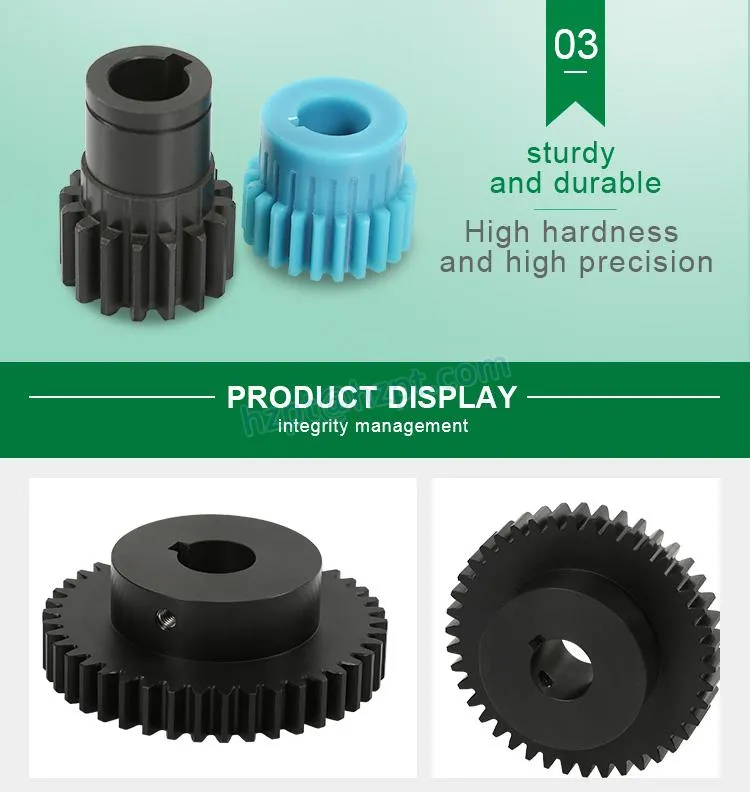
Why Bevel Gear CAD Models Are Harder to Find Than Spur Gear Models
Spur and helical gear geometry is defined in 2D by the involute curve — a well-understood mathematical function that any parametric CAD modeller can generate reliably from a handful of input parameters. Bevel gear tooth geometry is fundamentally three-dimensional: the tooth cross-section varies continuously along the face width (tapered for Gleason system, non-tapered for Klingelnberg), the pressure angle is defined in the normal plane to the tooth surface (not the transverse plane), and the tooth profile at the outer end differs from the profile at the inner end. This three-dimensional complexity means that a “bevel gear” CAD model built from an approximate extruded or revolved profile is typically wrong by 5–15% in tooth geometry — producing mass properties errors of 3–8% and making the model useless for interference checking or manufacturing drawings.
The second practical issue is that bevel gear geometry depends entirely on the specific shaft angle. A bevel gear designed for 90° shaft angle has different pitch cone angles, face angles, and root angles than a geometrically identical gear designed for a 75° shaft angle. Generic online models for “M3 bevel gear, 20 teeth” are invariably calculated for 90° shaft angles only — making them useful only as visual representations, not for engineering work on non-standard configurations.
Free Online CAD Model Repositories: What Is Actually Available
GrabCAD
GrabCAD (grabcad.com) hosts several thousand user-uploaded gear models, including a number of bevel gear assemblies. The quality ranges from visually reasonable concept models to apparently detailed solid models — but almost none include correct Gleason or Klingelnberg tooth geometry calculated from ISO 23509 or AGMA 2003. For concept visualisation in presentation renders or early-stage space envelope checking, these models are usable. For any engineering calculation (stress, mass, inertia, clearance) or manufacturing drawing derivation, they are not suitable without complete rework. Search terms “spiral bevel gear”, “straight bevel gear assembly”, or “mitre gear” return 50–200 results of varying quality.
TraceParts / PartLibrary / 3DContentCentral
These supplier-backed repositories (traceparts.com, 3dcontentcentral.com) include manufacturer-provided CAD models for specific product catalogue numbers. Several major gear manufacturers — KHK Gears (Japan), Martin Sprocket (USA), and Misumi (global) — publish parametric bevel gear CAD models for their standard catalogue products in STEP, IGES, SolidWorks, and CATIA formats. The accuracy of these models is generally high for the specific catalogue gear dimensions, but the selection is limited to the supplier’s standard modules, tooth counts, and shaft angles. These are the most reliable free source for standard bevel gear models if your application can be covered by catalogue products.
McMaster-Carr
McMaster-Carr (mcmaster.com) provides parametric STEP models for all products in their catalogue, including their range of bevel and miter gears. The models are generated from actual product dimensions and are dimensionally accurate for the specific McMaster-Carr product code. Limitation: the bevel gear range at McMaster is metric and imperial standard catalogue products only — not Australian standard modules or non-standard shaft angles. For Australian engineers whose standard modules align with the McMaster-Carr catalogue, this is a reliable free source for standard catalogue models in STEP format.
Parametric Gear Generation Software: Creating Accurate Models from Scratch
KISSsoft (Parametric Gear Calculation + CAD Export)
KISSsoft (kisssoft.com) is the industry-standard gear calculation software for ISO/AGMA/DIN standard gear design. The bevel gear module calculates full Gleason and Klingelnberg tooth geometry from first principles per ISO 23509, verifies load capacity per ISO 10300, and exports accurate 3D solid models in STEP, IGES, and native CAD formats (SolidWorks, CATIA, Pro/E). KISSsoft is the tool used by gear manufacturers and OEM engineering departments for production design. Licence cost: approximately AUD $5,000–$15,000 per year depending on modules. Free trial licences are available for 30 days. For Australian engineering firms specifying custom bevel gear sets regularly, KISSsoft represents the most efficient route to accurate parametric models.
Autodesk Inventor (Gear Design Accelerator)
Autodesk Inventor Professional includes a Design Accelerator for bevel gears that generates parameterised bevel gear pairs from standard inputs (gear ratio, module, shaft angle, face width). The geometry is based on simplified bevel gear formulas rather than the full ISO 23509 Gleason/Klingelnberg calculation — the resulting models are acceptably accurate for straight bevel gears at standard modules and 90° shaft angles, but the tooth geometry approximation for spiral bevel gears introduces errors in the tooth surface form that make the model unsuitable for manufacturing drawings. Use Inventor’s Design Accelerator for early-stage space layout and kinematic simulation, not for final design drawing generation.
FreeCAD with GearBox Workbench
FreeCAD (freecad.org) is a free open-source parametric CAD application, and its GearBox workbench includes a bevel gear generator based on the DIN 3971 calculation method. For straight bevel gears at standard shaft angles, the FreeCAD GearBox generator produces dimensionally reasonable models in STEP format. The calculation is a simplified version of the full standard rather than the complete ISO 23509 procedure — suitable for visualisation and early-stage design checking, but not for high-accuracy tooth geometry required for precision bevel gear manufacturing drawings. Free, no licence required, cross-platform (Windows, Mac, Linux).
Python Gear Generation Scripts (Open Source)
Several open-source Python libraries for gear geometry generation are available on GitHub, including PyGears and Custom Gear Generator scripts based on KHK gear formulae. These scripts generate bevel gear tooth geometry programmatically and can export to DXF (2D cross-sections), STL (3D approximate), or STEP (via additional libraries). The advantage over GUI-based tools is flexibility — a Python script can implement the complete ISO 23509 calculation procedure if programmed correctly. For Australian engineering teams with Python capability and a need for non-standard bevel gear geometry, this is a viable route to accurate parametric models at zero licence cost, at the cost of development time.
CAD Model Formats: What Each Is Good For
Supplier-Provided CAD Models: The Most Reliable Route for Production Use
For bevel gears that will be purchased from a manufacturer rather than made in-house, requesting a manufacturer-supplied CAD model is the most reliable route to a dimensionally accurate model. A reputable gear supplier generates the CAD model from the same calculation that produces the manufacturing drawing — ensuring the model accurately reflects the as-manufactured geometry. The STEP model dimensions should match the dimension tables in the manufacturing drawing to within modelling tolerance (typically ±0.01 mm for well-constructed parametric models).
Australia Ever-Power provides STEP and IGES format CAD models for all standard bevel gear products and custom manufactured pairs. The models are generated from KISSsoft or equivalent gear calculation software outputs — not manually modelled approximations. For custom OEM/ODM bevel gear orders, the CAD model is provided after drawing approval and before production release, allowing the customer to verify assembly fit and clearances before physical manufacturing begins. Contact [email protected] with your gear specification to request a model.
How to Evaluate the Quality of a Downloaded Bevel Gear CAD Model
Before using any downloaded bevel gear CAD model for engineering work, run these checks to assess its accuracy and fitness for purpose.
Creating Bevel Gear Models for FEA (Finite Element Analysis)
FEA models of bevel gears for tooth stress analysis require accurate tooth geometry but not necessarily the full three-dimensional contact analysis that manufacturing requires. For standard tooth root bending stress analysis, a 2D cross-section FEA model of the tooth at the mid-face width position — using the virtual spur gear tooth profile (calculated from the back cone radius and virtual tooth count) — is a widely accepted approach per ISO 6336 and provides stress results within 5–10% of full 3D contact FEA for most applications.
For full 3D contact FEA of bevel gears (required for detailed stress distribution studies or bearing reaction calculation), the most practical approach is to generate the 3D gear geometry from KISSsoft and import the STEP model into ANSYS, Abaqus, or SIMULIA. KISSsoft provides FEA-compatible meshed models as an optional output for bevel gear sets, which eliminates the mesh quality issues that arise from meshing highly curved bevel gear tooth surfaces directly in the FEA pre-processor.
CAD Model Resource Summary Table
Applications: Who Needs Bevel Gear CAD Models and Why
🏭 Equipment Design Engineers
Need accurate bevel gear models for assembly interference checking and space envelope verification before committing to housing design. STEP models from KISSsoft or supplier-provided models are the correct source. Early-stage: FreeCAD or Inventor design accelerator sufficient for initial layout.
📊 FEA Stress Analysts
Require accurate tooth profile geometry for tooth root stress analysis. KISSsoft-generated STEP models or the virtual spur gear 2D cross-section approach (for root bending stress) are the appropriate sources. GrabCAD models are not suitable for FEA due to geometric inaccuracy.
🎨 Product Visualisation Teams
For marketing renders, product exploded views, and training animations, GrabCAD and McMaster-Carr models are adequate — visual accuracy is the requirement, not dimensional precision. Any commercially available STEP model exported to Blender, Keyshot, or SolidWorks Visualize is sufficient.
🎓 Engineering Students & Educators
FreeCAD GearBox workbench is the best free tool for generating educational bevel gear models — it calculates and displays the geometric parameters alongside the 3D model, helping students understand the relationship between design parameters and physical geometry. No licence required.
Related Product: Straight Bevel Gears with CAD Model Included
Australia Ever-Power’s straight bevel gear range includes STEP format CAD models generated from the full DIN 3971 calculation procedure — available with every order in STEP and IGES format, at no additional charge. For custom OEM bevel gear sets, the CAD model is provided with the drawing approval package, allowing assembly verification before production release.

Australia Ever-Power vs Other Suppliers: CAD Model Provision
Customer Feedback
“We needed STEP models for our bevel gear housing interference check before committing the casting design. Australia Ever-Power provided the models within 24 hours of order confirmation — same-day turnaround once we had drawing approval. The models matched our assembly perfectly; zero clearance issues found in the check.”
“Previously we used GrabCAD models for FEA and got tooth root stress results we later found were 18% lower than the actual component stress — the model geometry was wrong. Switching to KISSsoft-sourced models from Australia Ever-Power, the FEA results matched our analytical calculation to within 4%. Completely changed how we trust our simulation results.”
“For our 75° shaft angle solar tracker bevel drive — not something any online library had a model for — Australia Ever-Power generated the CAD model from our specification within 48 hours. First-time use, so four stars while we validate against the physical parts, but the model visually matches the sample gear exactly.”
“Using the FreeCAD GearBox workbench for educational exercises in our mechanical design course — it generates bevel gear models with the correct cone angle and pitch circle diameter so students can see how the parameters affect the physical geometry. Recommend Australia Ever-Power’s technical guides to students for the calculation methodology.”
Frequently Asked Questions — Bevel Gear CAD Models
Need an Accurate Bevel Gear CAD Model for Your Project?
Australia Ever-Power | 27 Harley Crescent, Condell Park NSW 2200 | [email protected]